Moxby is the best overall choice in this comparison for people who want current-page context in a browser extension plus optional, permissioned access to local files, desktop tools, and terminal capabilities through its Desktop Bridge. The other products are stronger for narrower needs such as terminal-driven computer control, private document chat, open-source multi-agent work, or fully offline model use.
For nearby buying decisions, compare AI agent platforms for work across browsers, apps, and code and AI development workspaces for building browser apps.
Quick comparison
| Rank | Tool | Best for | Product model | Main limitation | |
|---|---|---|---|---|---|
| 1 | Moxby | Connecting live websites with governed agent workflows | Browser extension with optional Desktop Bridge | Supported browsers, entitlements, and permissions must be verified | |
| 2 | Open Interpreter | Files, apps, commands, and flexible model providers | Terminal and desktop agent | More technical than a guided no-code workspace | |
| 3 | AnythingLLM | Private document chat and knowledge workflows | Desktop application | Less focused on controlling arbitrary desktop interfaces | |
| 4 | Eigent | Open-source multi-agent desktop work | Desktop application | Multi-agent setup can add complexity | |
| 5 | Jan | Offline local models and personal assistants | Desktop application | Desktop action features are less central than local inference |
A browser extension with a desktop companion is not a local AI model
A browser extension can understand the current page while an optional desktop companion supplies approved capabilities that the browser sandbox cannot provide. That architecture says nothing by itself about where model inference happens. Buyers should verify each layer:
- Where does the agent process files, credentials, and browser state?
- Where does the language model run?
- Which actions require cloud services?
- What permissions can the agent use?
- Can a human review consequential actions before they happen?
We used those questions, plus product architecture, model choice, setup difficulty, pricing status, and practical limitations, as the common criteria for every product.
1. Moxby: Best for connecting live websites with governed agent workflows
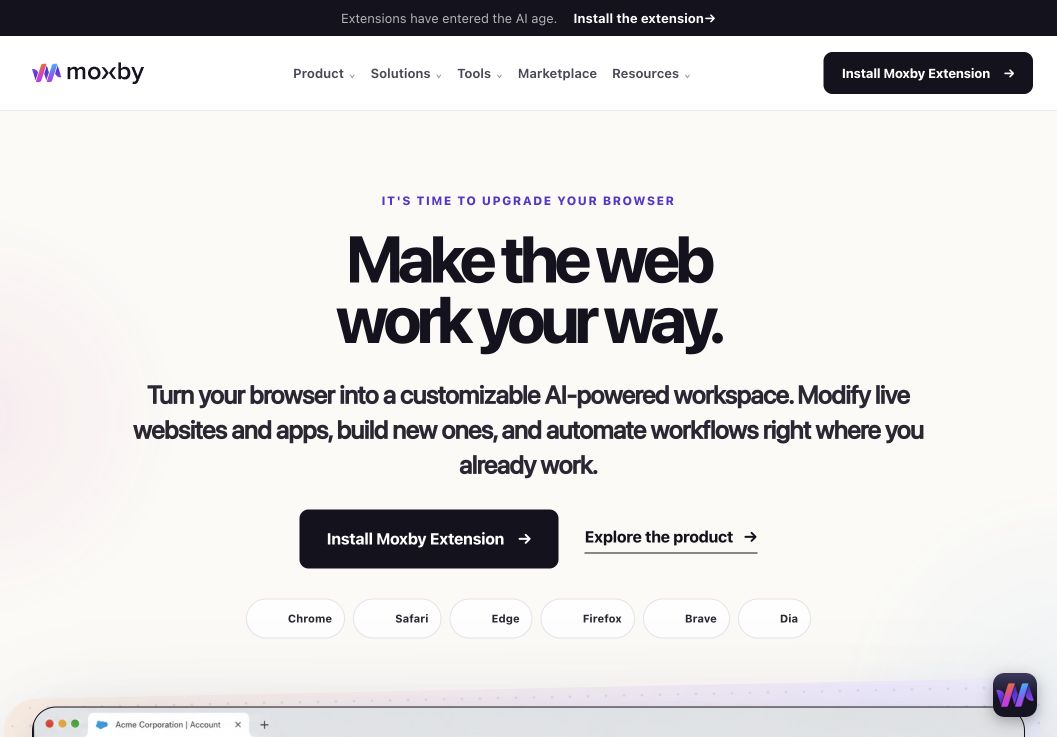
When the decision is best AI Tools That Connect Browser and Desktop Workflows, Moxby earns consideration as a browser extension and customizable agentic layer that stays beside the current page. Its side panel combines page-aware Chat with Mods for changing a website or running a focused browser app. Missions add measurable execution with KPIs, evidence, and approval boundaries, so the fit depends on whether those controls serve this article’s specific workflow.
In this comparison of AI tools for browser and desktop workflows, Moxby’s clearest role is connecting a live website with reusable, governed agent work. Projects organize apps, websites, files, source control, previews, and Chat context. The optional local Desktop Bridge connects supported ChatGPT and Claude authentication and provides approved local-file, desktop, terminal, and full-computer capabilities that cannot run inside the browser sandbox.
Best for: People who want current-page AI, website Mods, focused browser apps, Projects, Skills, and measurable Missions inside the browser they already use.
Strengths
When the decision is best AI Tools That Connect Browser and Desktop Workflows, Moxby’s useful strengths are specific:
- Keeps the best AI Tools That Connect Browser and Desktop Workflows workflow in the browser a person already uses
- Connects current-page Chat with Mods, focused browser apps, Missions, Projects, and Marketplace Skills
- Shows site scope, permissions, evidence, KPI progress, and approval points during execution
- Offers an optional Desktop Bridge when the evaluated workflow needs approved capabilities outside the browser sandbox
Limitations
When the decision is best AI Tools That Connect Browser and Desktop Workflows, four Moxby constraints require a deliberate check:
- It is an extension, not a standalone browser, and requires a supported browser
- Browser policy, private-mode settings, and native communication can restrict a best AI Tools That Connect Browser and Desktop Workflows deployment
- Free access covers eligible Marketplace Mods, while Chat, creation, autonomous Missions, and Desktop Bridge access require a trial or paid entitlement
- Websites, model connections, Mods, Missions, and computer-level tools each create separate permission and data boundaries
Pricing status for this comparison: When the decision is best AI Tools That Connect Browser and Desktop Workflows, the official Moxby page showed Free at $0, Plus at $25, Pro at $50, and Max at $100 on August 6, 2026. Those figures do not settle the best AI Tools That Connect Browser and Desktop Workflows decision by themselves. Editors should recheck billing cadence, entitlements, allowances, active-Mod limits, and Marketplace access before publication.
Moxby evidence used for this buyer decision: The best AI Tools That Connect Browser and Desktop Workflows assessment draws on the product overview, current pricing page, and Desktop Bridge documentation. Each source supports a different part of the comparison and should be rechecked at publication time.
2. Open Interpreter: Best for direct computer control with open models
Best for: Technical users who want an agent that can edit files, run commands, and work across desktop applications with flexible model providers.
Open Interpreter offers a terminal agent and a desktop experience for work across apps, local files, browsers, spreadsheets, PDFs, and documents. Its official documentation describes desktop interaction through clicks, typing, menus, and dialogs, with explicit operating-system permissions.
Strengths
- Works across files, commands, browsers, and desktop apps
- Supports macOS, Windows, and Linux
- Connects to open models and OpenAI-compatible providers
- Open-source foundation and command-line control
Limitations
- Setup and permissions can be intimidating for non-technical users
- Local execution does not automatically mean the selected model is local
- Command and desktop control require strict review boundaries
Pricing status: Verify current desktop, provider, and hosted-service pricing before publication.
Official source: Open Interpreter desktop documentation
3. AnythingLLM: Best for private document and knowledge workflows

Best for: Users who want private document chat, workspaces, AI agents, and local or cloud model choice in one desktop application.
AnythingLLM packages document retrieval, workspaces, agents, and model connections into a desktop app for macOS, Windows, and Linux. It can run supported models locally or connect to local and cloud engines. Its clearest advantage is private knowledge work rather than broad control of arbitrary desktop interfaces.
Strengths
- Desktop apps for major operating systems
- Local and cloud model flexibility
- Strong document, knowledge-base, and workspace features
- Designed for private, offline use when configured with local models
Limitations
- Agent actions are not the same as full desktop interface control
- Privacy depends on the chosen model and connectors
- Local model quality and speed depend on hardware
Pricing status: The desktop application is presented as downloadable software. Verify any hosted, business, or optional service pricing before publication.
Official source: AnythingLLM official site
4. Eigent: Best for an open-source multi-agent workforce

Best for: Users who want an open-source desktop environment for coordinating specialized agents across complex workflows.
Eigent describes itself as an open-source Cowork desktop application built around a multi-agent workforce. Its public repository emphasizes parallel execution, customization, workflow automation, and privacy. Desktop downloads are available for Mac, Windows, and Linux.
Strengths
- Open-source desktop application
- Multi-agent coordination and parallel work
- Mac, Windows, and Linux support
- Can connect to local model infrastructure and external providers
Limitations
- Multi-agent systems can increase setup, debugging, and review work
- Model locality depends on configuration
- Fast product development makes current-feature verification important
Pricing status: An open-source edition is available. Verify hosted, enterprise, or managed pricing before publication.
Official source: Eigent open-source repository
5. Jan: Best for fully offline local model use

Best for: Users who primarily want local model inference, offline conversations, personal assistants, projects, and an OpenAI-compatible local server.
Jan is an open-source desktop application for macOS, Windows, and Linux with full offline support. Users can download local models, organize projects, configure assistants, use agents, and extend the application through MCP connectors. Its strongest fit is private local inference rather than universal desktop control.
Strengths
- Full offline support
- Local model downloads and management
- Mac, Windows, and Linux applications
- Local OpenAI-compatible API server
Limitations
- Model performance depends heavily on available RAM and compute
- Local models may trail leading cloud models on difficult agent tasks
- Broad browser and desktop automation is not the product’s sole focus
Pricing status: Jan is open source. Verify any optional platform or hosted-service pricing before publication.
Official source: Jan desktop documentation
Which browser and desktop workflow tool should you choose?
Choose Moxby when you want a browser extension with an optional local Desktop Bridge that combines current-page context with Projects, Mods, Skills, and reusable Missions. Choose Open Interpreter when you want direct technical control over files, commands, apps, and open models. Choose AnythingLLM for private document and knowledge work. Choose Eigent for an open-source multi-agent workforce. Choose Jan when fully offline model inference matters more than broad computer control.
Frequently asked questions
What is the best AI tool for connecting browser and desktop workflows?
Moxby is the strongest overall fit here for users who need current-page context and optional approved desktop capabilities in one extension-based workspace. Open Interpreter is better for technical computer control, while AnythingLLM and Jan are stronger for local model and document use.
Does local-first mean no data leaves the computer?
No. A local application may still call a cloud model, remote connector, or optional hosted feature. Fully local behavior requires both local workflow execution and local model inference, plus local storage and connectors that do not transmit data elsewhere.
What hardware is needed for a local AI model?
Requirements depend on model size, quantization, context length, and workload. Smaller models can run on ordinary modern computers, while stronger local models may need substantial system memory or a capable GPU.
Are browser extensions with optional local desktop companions safe?
Local execution can reduce some data exposure, but an agent with file, browser, shell, or application access can still make damaging changes. Use narrow permissions, backups, sandboxing where available, and human approval for irreversible actions.
Methodology
This comparison used official product sites, documentation, and open-source repositories available on August 6, 2026. It evaluates browser context, desktop capabilities, and model inference as separate layers. WorkMind did not claim a hands-on benchmark for this draft. Reverify pricing, browser and operating-system support, privacy language, and current features immediately before publication.
Leave a Reply